[Solved] The calibration with Excel 2010 Solver does not give optimal coefficients.

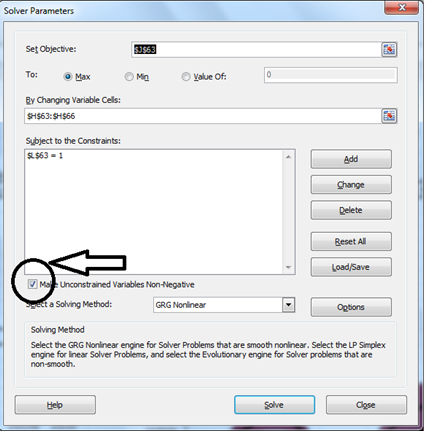
In Excel version 2010, the solver has a non-negative constraint turned on by default; restricting the model's coefficients to non-negative values, and, as a result, it yields less than optimal solution. This constraint is not relevant for model calibration process, and should be turned off.
As a work-around, please un-check this option (as shown below) before you click on "Solve".
Comentários
Starting with NumXL 1.56, this issue is fixed; NumXL un-checks this constraint when it launches the solver .
iniciar sessão para comentar.