Missing options that complete operation

I inputted data to run an operation. But there are missing cells (options, missing values, etc.). For example: 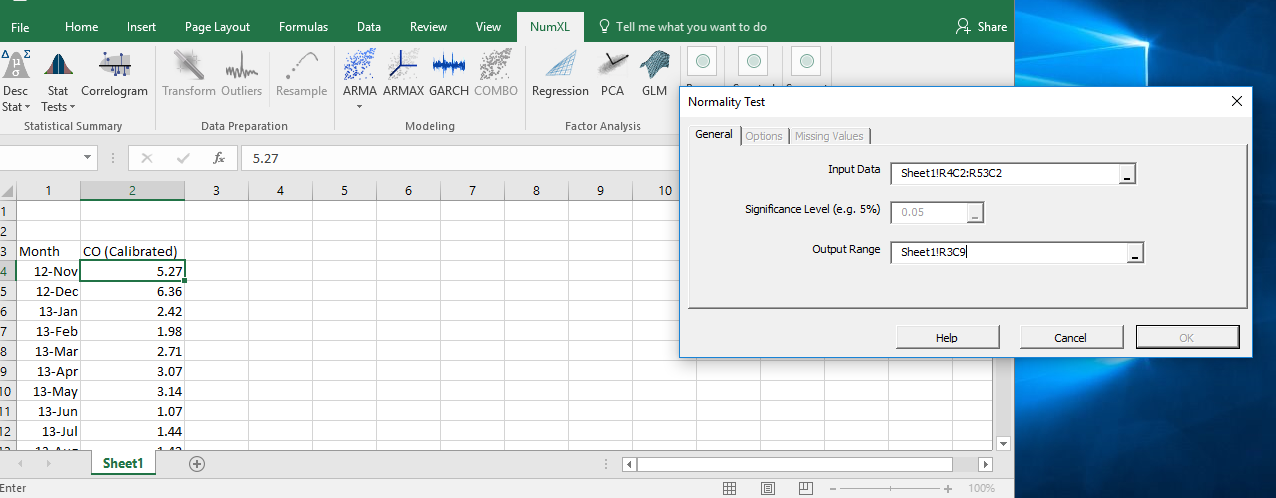 If I want to do the normality test after entering input, it is supposed to show 'Options' and 'Missing Value'. Those two options don't appear.
What should I do?
评论
Hello Sundipt,
The option should have enabled, so I am wondering whether your input data is malformed. Send us your spreadsheet to look at (support@numxl.com)
Thank you for sending the spreadsheet. The problem is caused by the RC cells reference style. As a workaround, go to File tab, then Options. In the Option dialog, select the "formula" on the left, and uncheck the R1C1 reference style. (see attachment)
Our engineers will look into this issue tomorrow, but for now, you should be good.
请先登录再写评论。